Create Subnet
Create Subnet
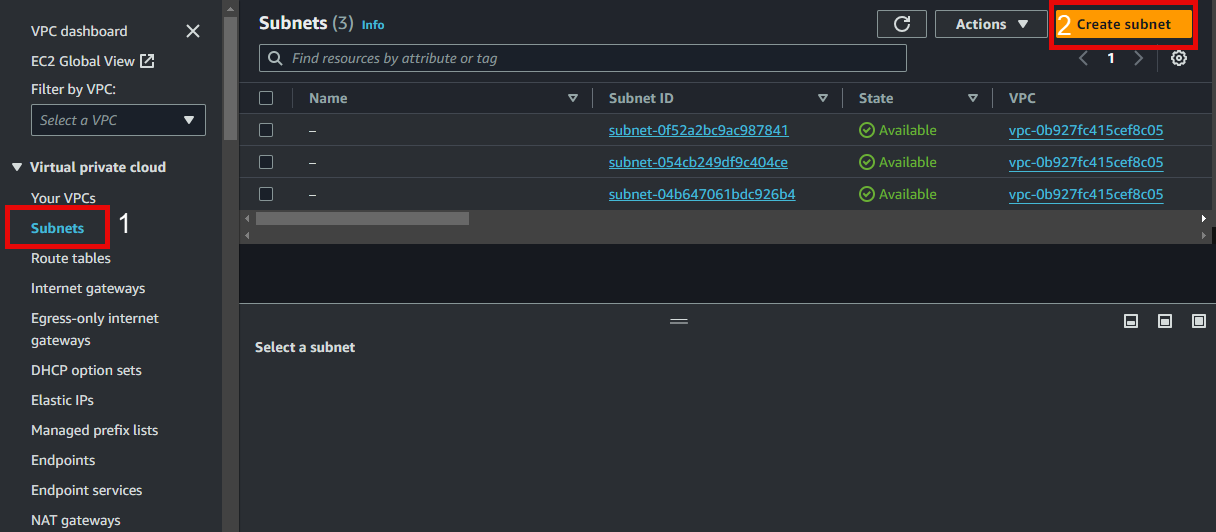
- In the VPC interface:
- Select Subnets
- Select Create Subnet
- In the Create Subnet interface:
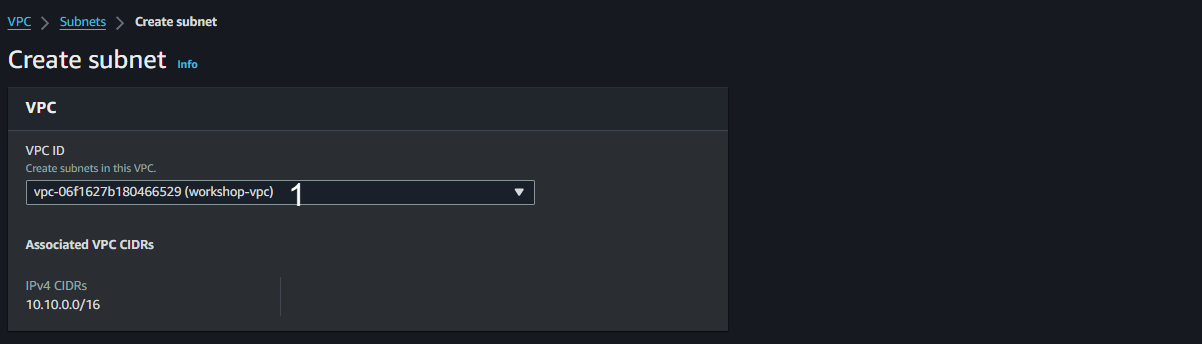
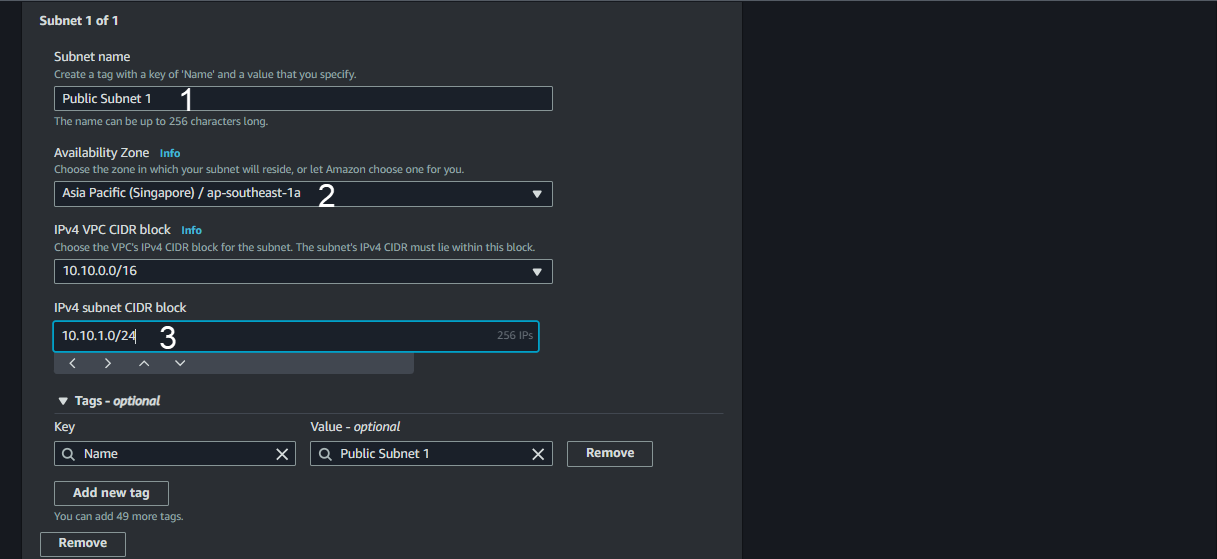
- In the Subnet settings interface:
- Subnet name: Enter
Public Subnet 1
- Select AZ ap-southeast-1a
- IPv4 subnet CIDR block: Enter
10.10.1.0/24
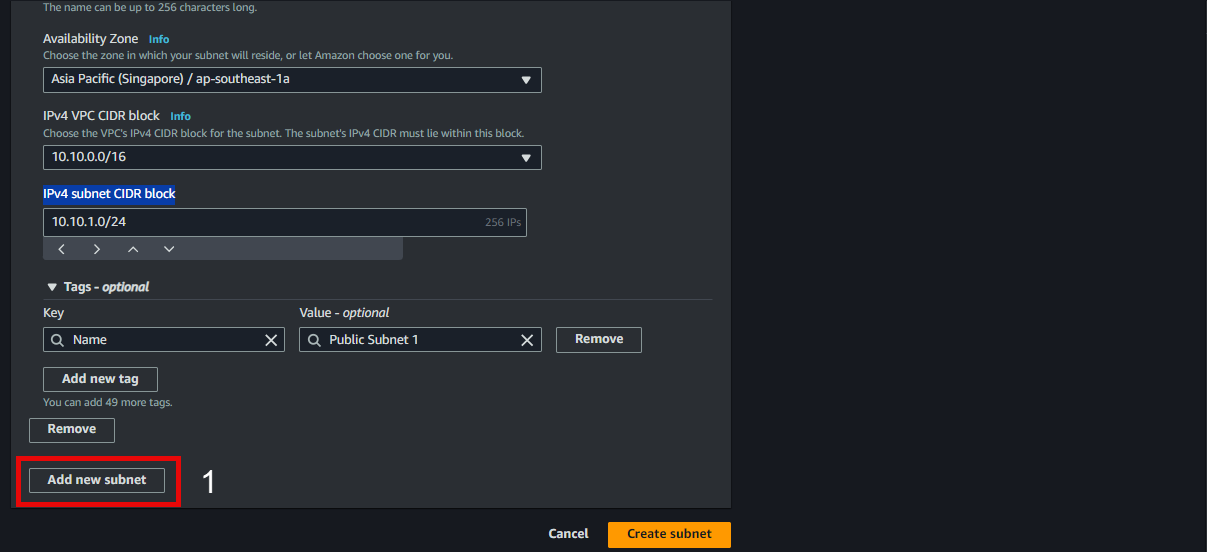
- Scroll down and choose Add new subnet
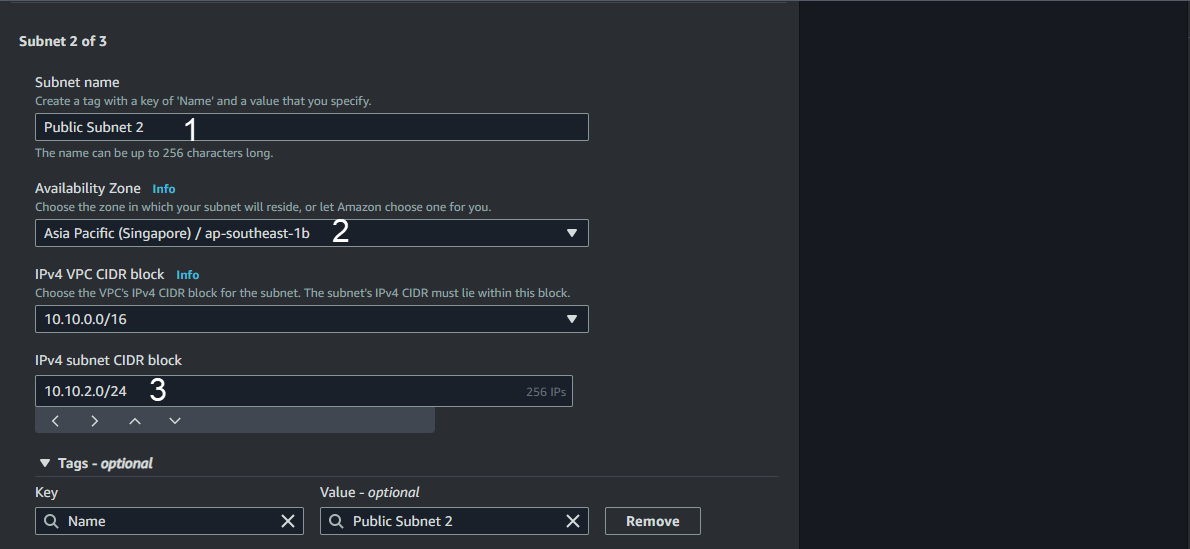
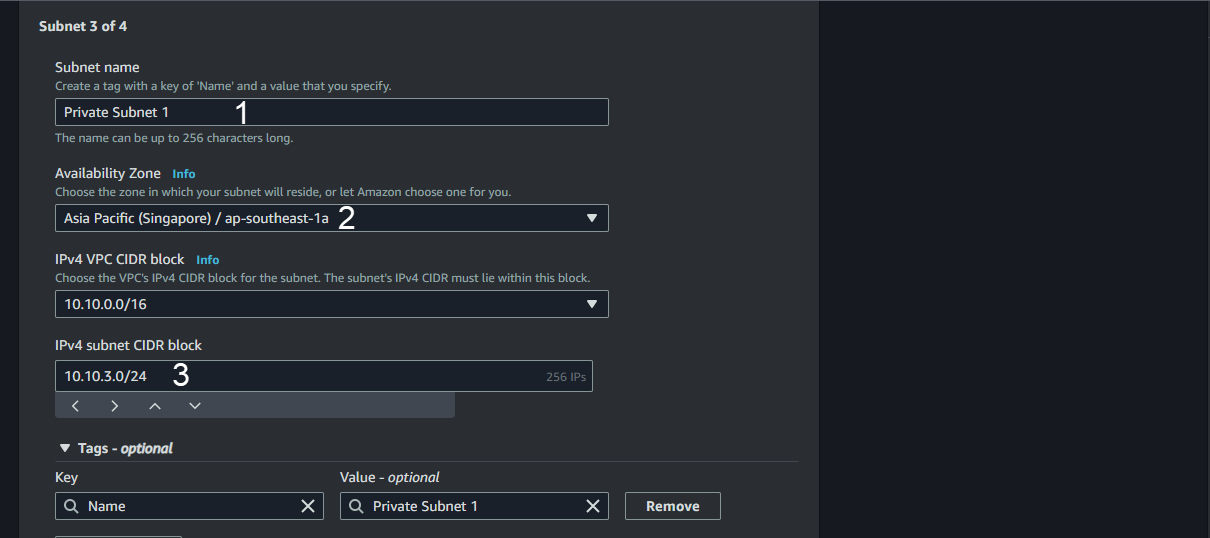
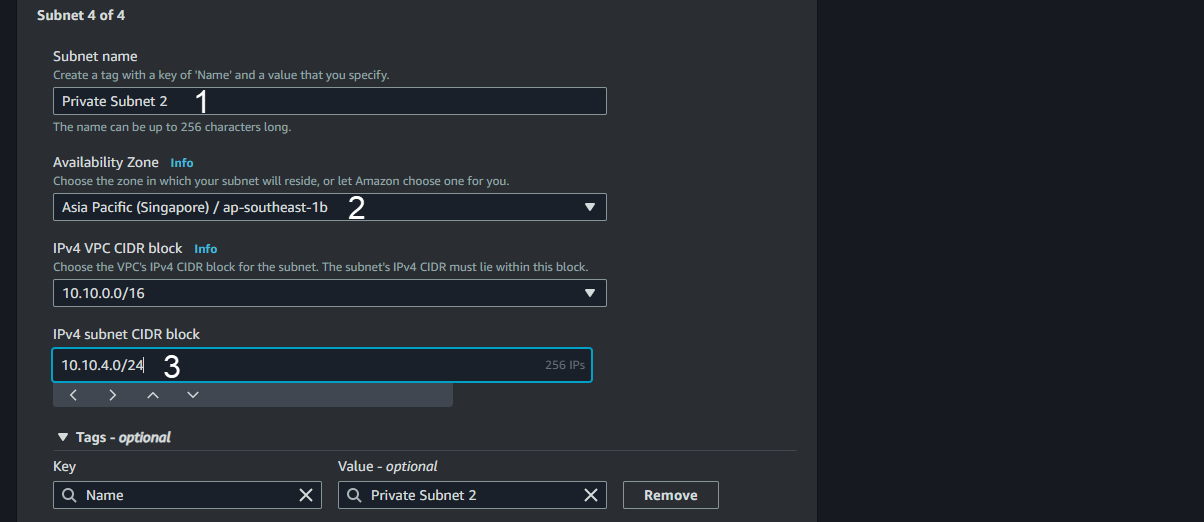
- Continue the process with the following information:
Public Subnet 2 with CIDR of 10.10.2.0/24 located in Availability Zone ap-southeast-1b
Private Subnet 1 with CIDR of 10.10.3.0/24 located in Availability Zone ap-southeast-1a
Private Subnet 2 with CIDR of 10.10.4.0/24 located in Availability Zone ap-southeast-1b
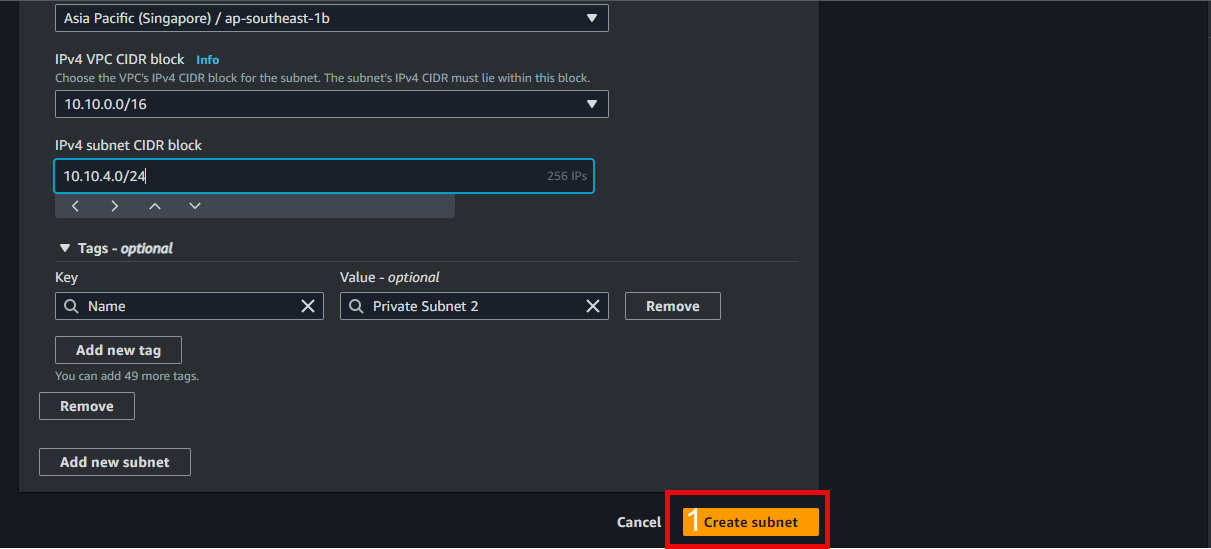
- Verify the information and then choose Create Subnet.
Allow Automatic Allocation of Public IP Addresses for 2 Public Subnets
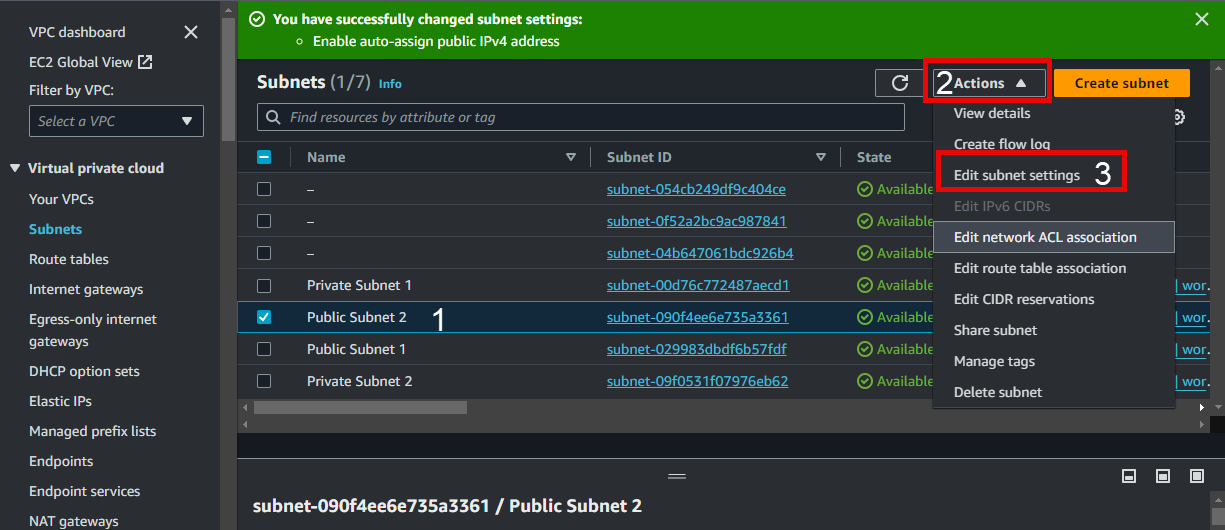
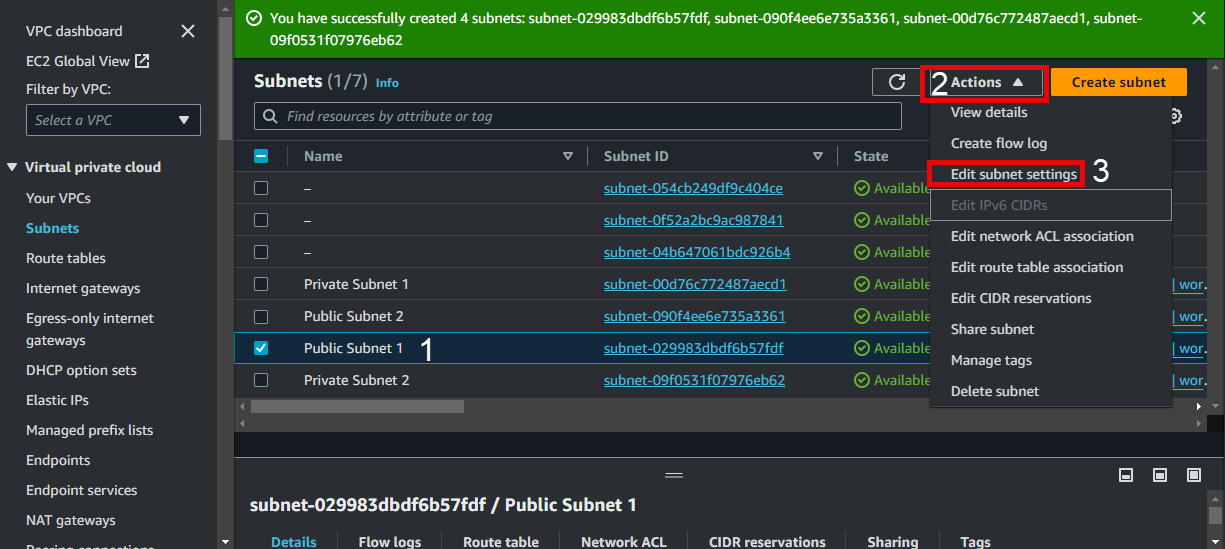
- In the Subnets interface:
- Select Public Subnet 1
- Select Actions
- Select Edit subnets settings
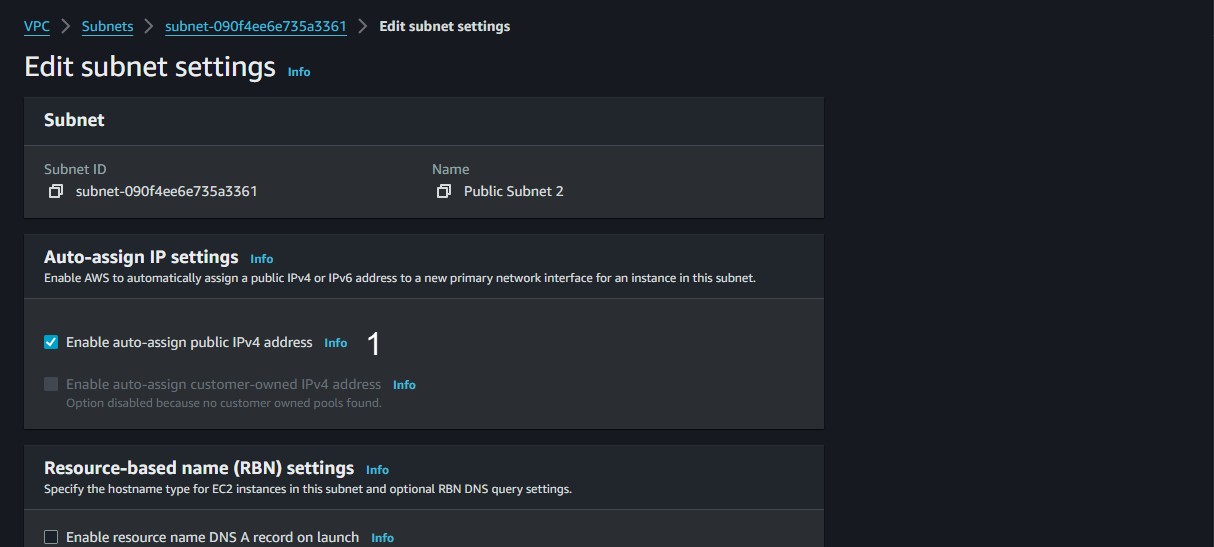
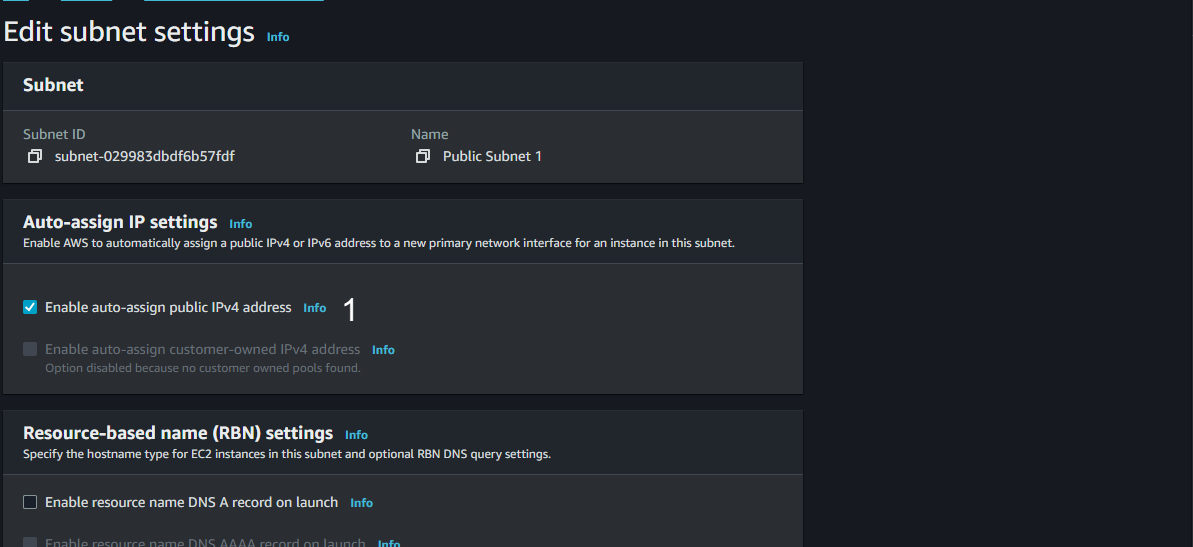
- Under Auto-assign IP settings:
- Select Enable auto-assign public IPv4 address
- Then Save
- Repeat the same process for Public Subnet 2